
For a Sonic-inspired ita bag, choose a blue or black base, use yellow or gold ring accents, and keep the display centered around one character or game era. Use officially licensed merch for character art and generic bags for the display base.
What is sonic Ita Bag?
A sonic Ita Bag is a clear-window fandom display bag or accessory used by collectors to show pins, photocards, badges, and plushies. The display function — window size, insert access, and carry format — determines whether the build stays readable and practical in real use.
For YourItBag readers, the practical test is simple: the display should protect the merch, make the focal item easy to read, and still work for the way the bag will be carried.
Official Merch Note
This page is for inspired styling. Use officially licensed pins, acrylics, or charms when displaying official Sonic character art. The bag, insert, and accessory colors can be generic.
Color Palette for a Sonic-Inspired Bag
| Color | Use |
|---|---|
| Blue | Main bag or insert color |
| Yellow / gold | Ring accents, chain, star clips |
| Red | Small accent for shoes or contrast |
| White | Clean backing for busy pins |
| Black | Stronger contrast for convention builds |
Layout Ideas
- Ring frame: arrange yellow charms or circles around the main pin.
- Speed line insert: use diagonal blue and white backing paper.
- Character focus: build around one character instead of mixing every era.
- Game stage theme: use green, checkerboard, or sky-blue accents depending on the stage mood.
Best Bag Choice
A blue ita bag is the easiest match, but a black clear-window bag can make bright pins stand out more. Start with blue ita bags, black ita bags, or star ita bags.
Recommended Products
These recommendations are organised by display function first — window size, insert access, and carry format decide whether pins, cards, or plushies stay readable in real use.
Choose one of these options if you know the merch type going in and need a bag format that supports that display without crowding the layout.
Skip any pick where the product page does not confirm the measurements, insert type, material, or closure you need — unverified product details are not a substitute for checking before checkout.
For this topic, start with bags that match the display need first: window size, carry format, insert access, and the type of merch you plan to show. These current YourItBag picks are relevant to blue game-fandom bases.
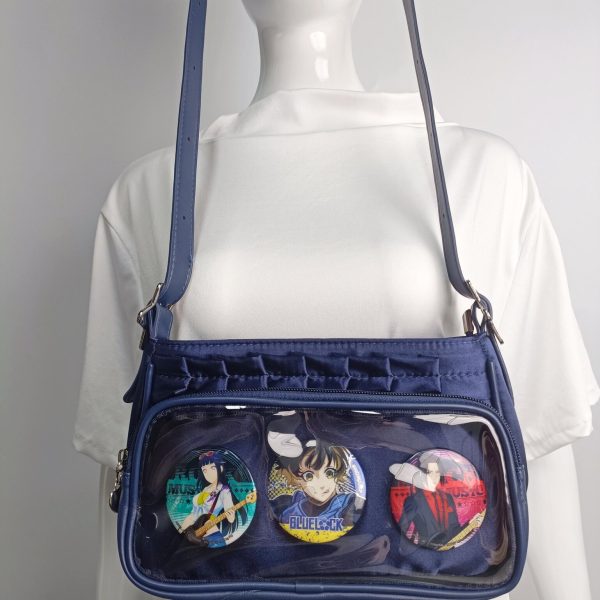
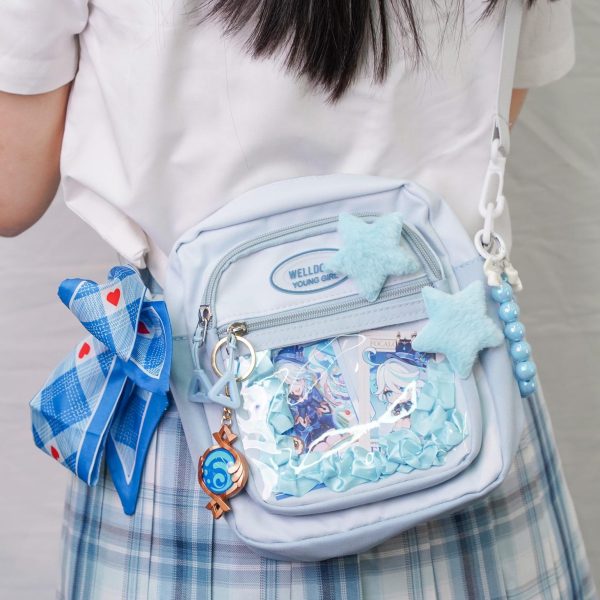
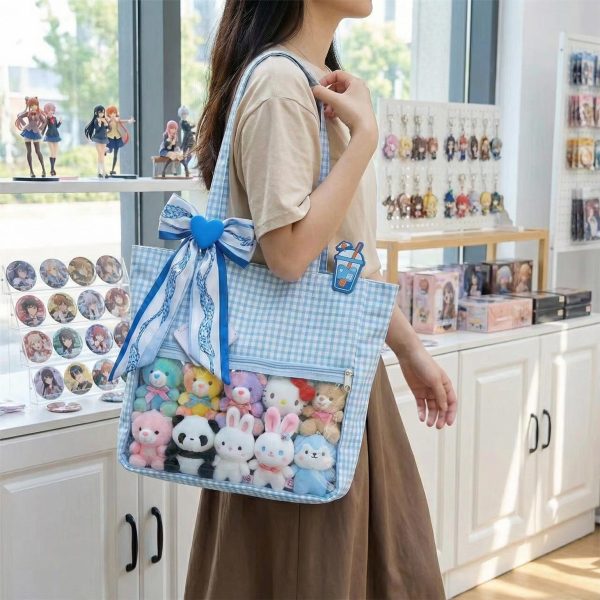
Need more options? Browse all ita bags or check the size guide before ordering.
How to Decide
Choose the setup based on the merch you need to display and the way you plan to carry the bag. Check visible window size, insert access, carry comfort, closure, and depth before choosing by color, fandom, or shape alone.
Those checks decide whether the display stays readable, protected, and comfortable in real use instead of only looking good in listing photos. Do not buy by aesthetic alone. A cute theme cannot fix a shallow window, weak strap, awkward insert, or crowded layout.
Common Mistakes
- Buying by color, fandom, or shape before checking visible window size and insert access.
- Ignoring depth, strap comfort, or closure even though those details control real daily use.
- Overfilling the display until faces, logos, and focal pieces stop reading clearly.
Quick Comparison
| Option | Best for | Pros | Cons | When to avoid | Recommended product/category |
|---|---|---|---|---|---|
| Small focused display | One character, one color story, daily carry | Readable, lighter, easier to maintain | Less room for large plushies or many badges | Avoid when you already know the merch set is bulky | Mini ita bags |
| Balanced everyday build | Pins, cards, a few charms, practical carry | Best mix of display space and comfort | Can look crowded if the insert plan is weak | Avoid when you need a very formal bag or a giant plushie window | All ita bags |
| Large or plushie-heavy build | Convention setups, thick merch, deeper layouts | More depth, easier spacing, stronger focal point | Heavier to carry and harder to keep tidy | Avoid when you only need a light everyday display | Size guide |
Frequently Asked Questions
How do I choose sonic ita bag?
Choose sonic ita bag by matching the display window, insert access, depth, and carry format to the merch you already own. This matters because a bag that looks right in photos can still fail if pins crowd the window, plushies press against PVC, or the strap is uncomfortable during daily use.
What should I avoid when buying sonic ita bag?
Avoid buying sonic ita bag by color, fandom, or novelty shape alone. Check measurements, closure, material, insert support, and return details first because those practical signals decide whether the display stays readable, protected, and usable after checkout without extra fixes.
Does YourItBag recommend products for sonic ita bag?
Yes, YourItBag recommends product directions only when the bag category matches a clear display job such as pins, photocards, plushies, or daily carry. Always open the product page before buying because current measurements, variants, price, and availability can change before checkout.
Create Movement Without Visual Noise
Speed lines, rings, stars, and checkerboard patterns can make a Sonic display energetic, but they should point toward the focal character rather than compete with it. Use one graphic background element and repeat yellow accents in small doses. Before fixing the insert, hold it upright at viewing distance and remove any detail that makes the main character harder to identify.
- Keep rings around the edge of the display.
- Use red only as a small contrast unless it is a character-led build.
- Choose a black insert when bright blue pins need stronger outlines.
- Use officially licensed merch for official character artwork.
Related Ita Bag Guides
Continue with the guide that matches the next decision in your build, whether that is choosing the bag, planning the insert, or refining the display.