The 3 Principles of Good Ita Bag Display
Before touching a single pin, understand these three principles:
1. Every display needs a focal point
The focal point is the first thing the eye goes to. Without one, viewers don’t know where to look and the display reads as cluttered. Your focal point is typically:
- Your largest or most important acrylic standee
- Your rarest or most cherished pin
- A rosette with a central badge (the “oshi” position)
Place your focal point at top-center or dead-center of the insert — the position that gets the most light and is seen first.
2. Size variety creates visual depth
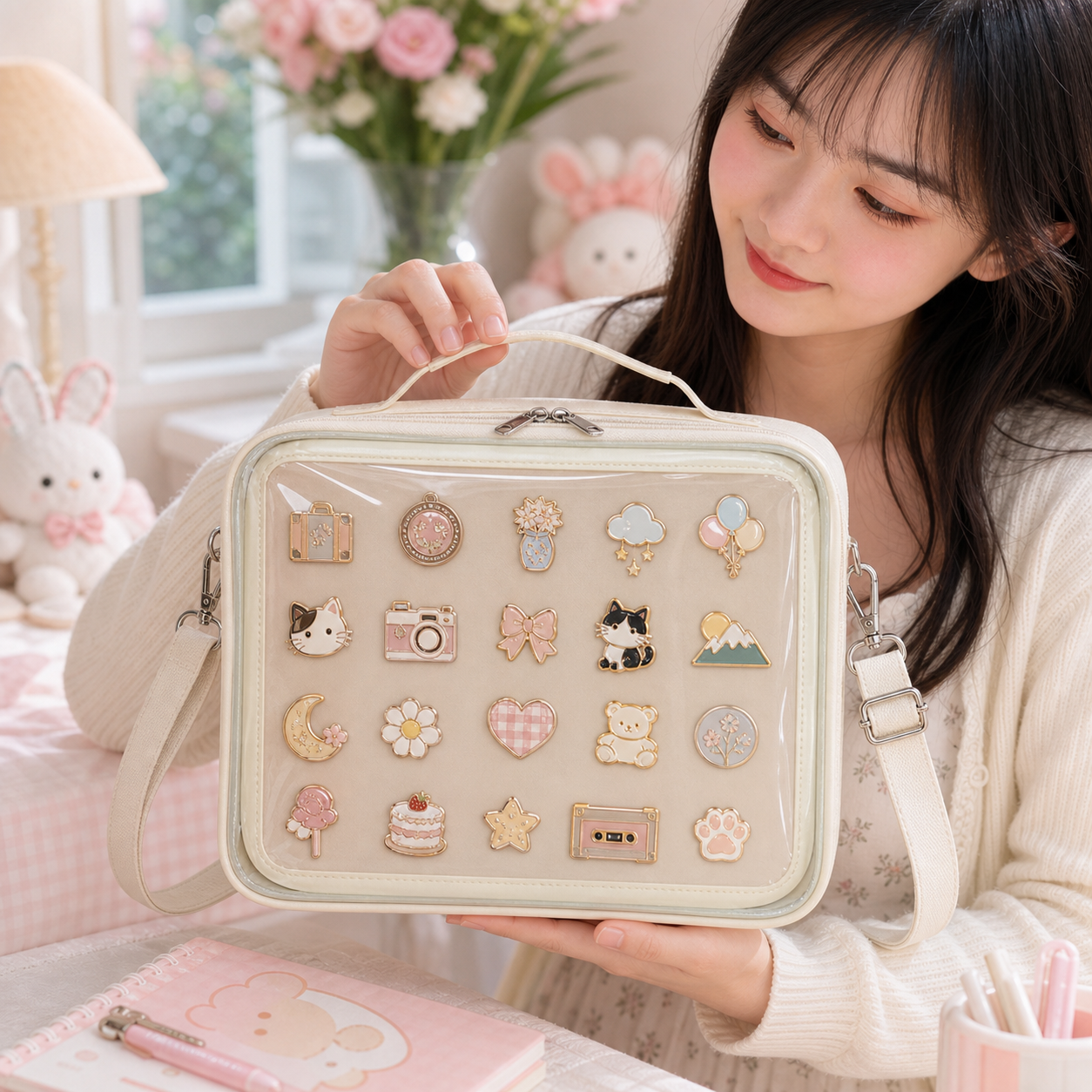
If every pin is the same 25mm size, the display looks flat. Mix:
- 1–2 large anchor pieces (35–60mm+ pins, acrylic standees)
- Several medium pieces (28–35mm)
- Many small fillers (25mm standard pins, tiny charms)
This creates a visual hierarchy: big anchors → medium supports → small fills.
3. Color should flow, not clash randomly
You don’t need a monochrome display, but you need color logic. Options:
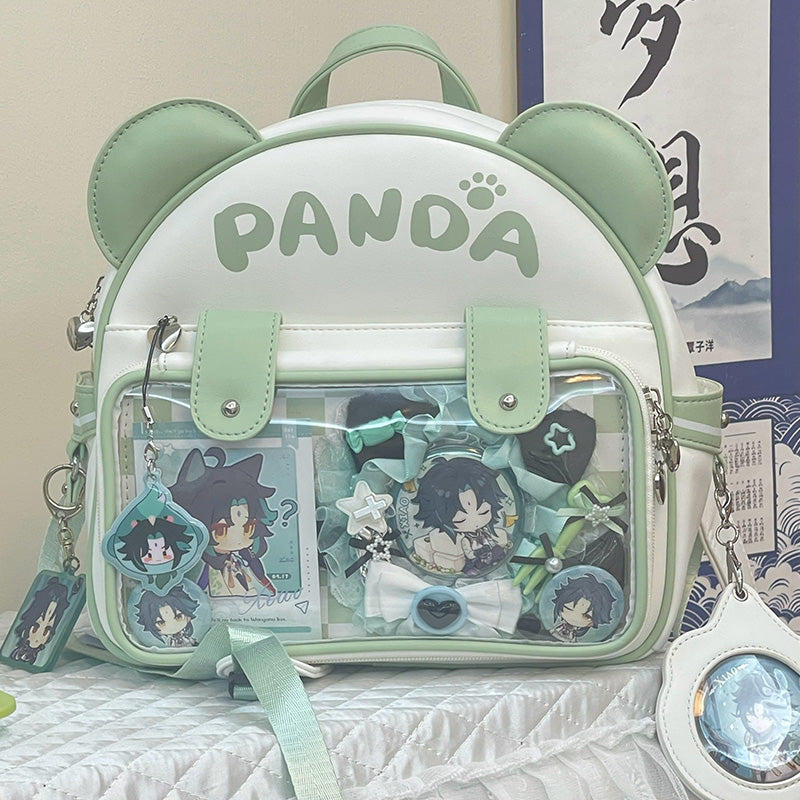
- Character zone layout — group each character’s merch together. Colors transition block by block.
- Gradient layout — arrange merch so colors flow warm → cool or light → dark across the window.
- Fandom zone layout — one series per area, each with its own palette.
- Black/white anchor — use one neutral color throughout to link different palettes.
Step-by-Step: How to Decorate Your Ita Bag
Step 1: Empty your insert and lay out all your merch
Take everything you plan to display and spread it on a flat surface. This lets you see what you have before committing anything.
Step 2: Group by priority
- Must-haves — pieces you definitely want to display
- Nice-to-haves — good pieces but can be swapped out
- Overflow — too many for one window, rotate these
A standard 22–26cm window holds 20–35 standard pins. If you have 60, you’re choosing which 30 to show.
Step 3: Plan your anchor positions
Place your 1–3 anchor pieces on the empty insert without pinning. Try:
- Main anchor at top-center (12 o’clock)
- Secondary anchor at lower-left or lower-right
- Leave 3–5cm around anchors for smaller pieces
Step 4: Fill outward from anchors
Work from each anchor outward, placing smaller pins in rows or radiating arcs. Keep 5–8mm between each pin — touching pins scratch each other’s enamel over time.
Step 5: Check for color balance
Step back (literally or take a photo). Does any color cluster too heavily in one zone? Do you see a big gap of one color that doesn’t work? Swap pieces around until the overall read feels balanced.
Step 6: Test depth and visibility
Before pinning anything permanently, close the bag (or hold the insert at the back of the display pocket) and look at it through the window. Small pins at the very back may become hard to see through thick PVC. Move critical pieces toward the front-center.
Step 7: Pin and secure
Once happy with the layout, push each pin post through the insert fabric:
- Foam inserts: Pin goes straight through, push post fully into foam
- Fabric/canvas inserts: Push pin through fabric layer, use a rubber clutch or locking back on the reverse side
- Velvet inserts: Press firmly — velvet has higher friction. Check that the pin sits flush and doesn’t tilt.
Add locking pin backs to anything you care about — standard butterfly clasps loosen with movement.
Decoration Styles and Layouts
The Galaxy Layout
Largest acrylic standee or pin at center with smaller pieces radiating outward in concentric arcs. Mimics a solar system. Works well for single-fandom focused builds.
The Grid Layout
Pins in even rows with consistent spacing. Clean, minimal, maximizes how many pins fit. Works best for large uniform pin collections (military-style enamel, badge-format merch).
The Storytelling Layout
Merch arranged to tell a scene or sequence from the source material. Attack pose acrylic on one side, character reacting on the other, background element pins scattered around. Requires knowledge of the source material to read correctly.
The Color Gradient
Pins arranged from warm colors (red, orange, yellow) on one side graduating to cool colors (blue, purple) on the other. Insert color: white or cream to show all colors clearly.
The Oshi Shrine Layout
All merch dedicated to one character. Center position: rosette with the character’s most important badge. Surrounding pieces are all that character’s pins, badges, and acrylics. Often uses the character’s signature color as insert or framing color.
Exterior Decoration
The bag’s outside surface is often overlooked. Exterior decoration options:
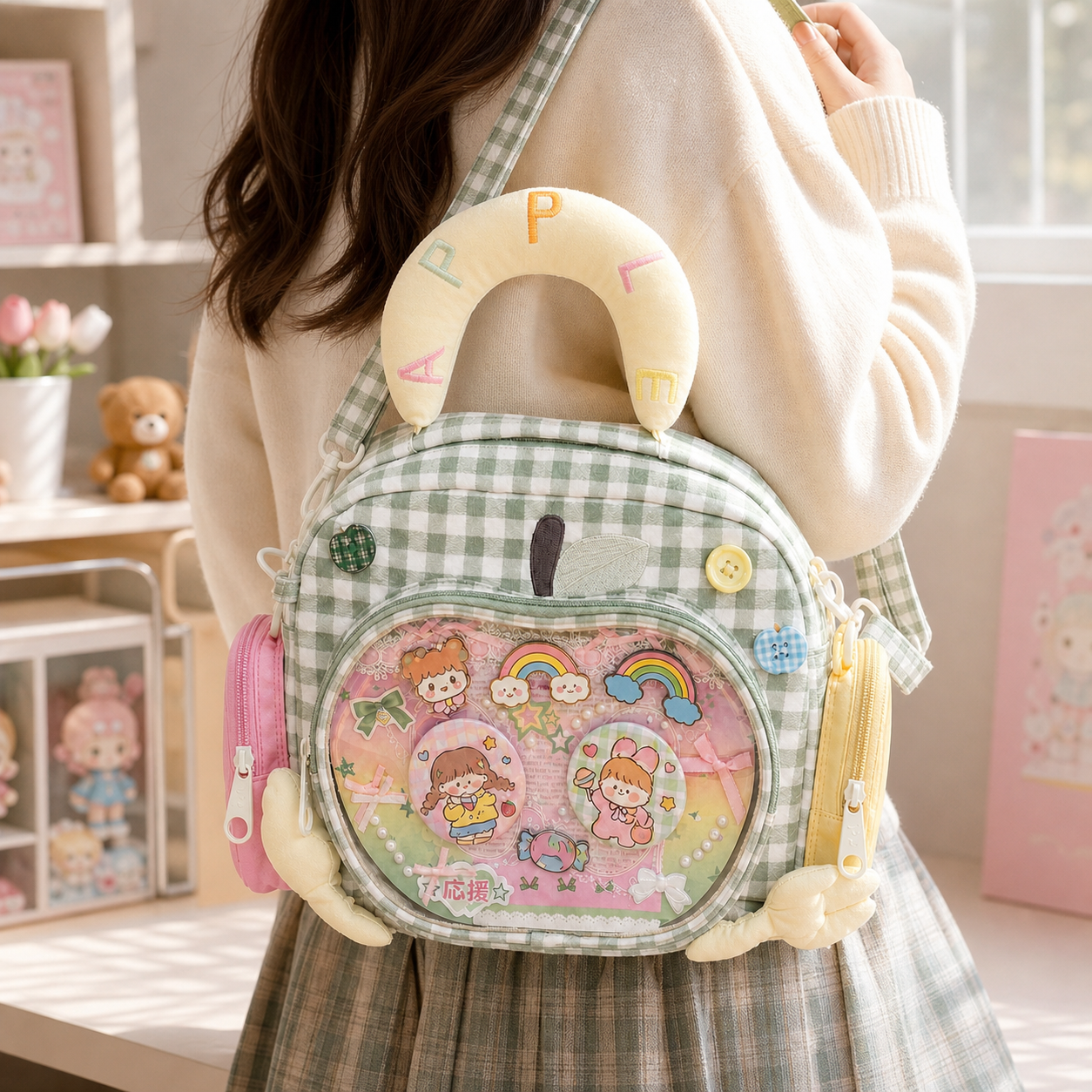
Bag chains: Clip a decorative chain from the D-ring or zipper pull. Ball chains, pearl chains, and heart-link chains all work without tools. See: Ita Bag Chains
Exterior charms: Clip acrylic keychains, pom-poms, or bell charms to the same hardware points. Position them so they’re visible below or beside the display window. See: Ita Bag Charms
Rosette framing: Some collectors pin rosettes on the exterior fabric frame around the window (not inside the window). Creates a decorative border effect.
Bag straps: Clip additional mini bag straps in a contrasting color or material alongside the main strap. A canvas strap with custom patches alongside a leather-look main strap is a popular style.
Ita Bag Decoration FAQ
How do I make my ita bag display look less cluttered?
Three things: add a clear focal point (one dominant piece at center), increase spacing between pins (5–8mm minimum), and remove the smallest or least interesting pieces. Counterintuitively, a display with fewer, better pieces looks more polished than one packed at maximum density.
How do I keep my pins from falling inside the bag?
Use locking pin backs instead of standard butterfly clasps. Locking backs have a screw or squeeze mechanism that doesn’t loosen with movement. For foam inserts, push the pin post deeply into the foam — shallow pinning lets pins pivot and fall.
Can I change my ita bag display frequently?
Yes. Most collectors rotate displays seasonally or when they get new merch. Using locking pin backs makes removal easier without damaging the pin. Foam inserts show pin holes over time but remain functional for years of rotation.
How many pins should I put in an ita bag?
Fill to about 80% of visual capacity — leaving some visible insert space makes the display look intentional rather than desperate. A 22cm × 18cm window at 80% holds approximately 20–28 pins. Going to 100% capacity creates the “overflowing” style that some collectors deliberately pursue as an aesthetic choice.
How do I style an ita bag for a specific fandom?
Start with your fandom’s dominant color as the insert backdrop or framing choice. Then anchor with the most recognizable character as your focal point. Arrange supporting characters and symbols working outward. Use a rosette if you have an “oshi” (favorite character). The display should be immediately recognizable to other fans of that series.
Shop Popular Ita Bags
Clear window styles, mini crossbodies, convention backpacks, and starter kits — the most popular picks from YourItBag.